Most advanced AI-based Remote Workforce Management & Employee
Identify and eliminate inefficient habits
Control Team in One Place
Manage your team and track projects in one place
Save time and manual work
No manual timesheets that take time to fill out and are never 100% reliable
Track Your Work, Measure Your Efforts, Achieve Your Target
Team Scheduling
Tracking Activity
Screen Capture
Webcam Capture
Application Tracking
Audio Recording
Manage Workroom
Virtual Workroom
Data Security
Auto Timesheet
Automatic Timesheet
Actual vs Estimated
Attendance Record
Remote Attendance
Link Biometric
Monthly Report
Performance Report
Historical Data
Actual Vs Estimated
Billed Hours
Easy Navigation
Report Summary
Intelligence
Incident Reports
- Schedule
- Collaborate
- Screen Capture
- Webcam Capture
- Application Tracking
- Audio Recording
- Analysis
- Virtual Workroom
- Data Security
- Automatic Timesheet
- Easy Access
- View Time
- Actual vs Estimated
- Remote Attendance
- Link Biometric
- View In/Out
- Overview
- Assignment
- Total Log
- Historical Data
- Actual Vs Estimated
- Billed Hours
- Easy Navigation
- Customize
- Analysis
- Intelligence
- Managerial
- Incident Reports
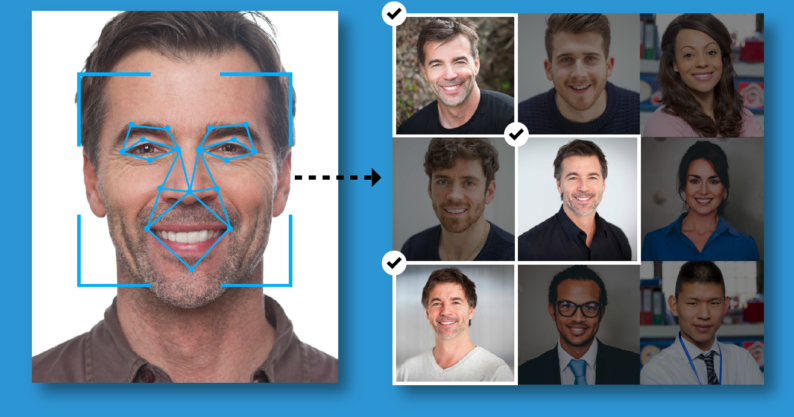
Automatic Time Tracking
Our Work from Home Software starts and stops working when you do, from the minute you turn on the computer, to the minute you turn it off. No manual data entries - Software tracks and calculates productivity automatically for you. So that you can rely 100% on the data you see
Auto Screenshots
Activate the screen capture function to learn more about the efficiency of the team and monitor remote employees. WFH takes screenshots (regular or blurred) of everyone’s work every 5, 10, 15 or 30 minutes, and automatically highlights the shots where invalid activity is captured
Realtime Phone Camera Detection
Our WFH work software detect the phone camera in realtime. same alerts notification getting in alerts report with its remarks. Supervisor easily get all the data for reconciliation
Real-Time Notifications
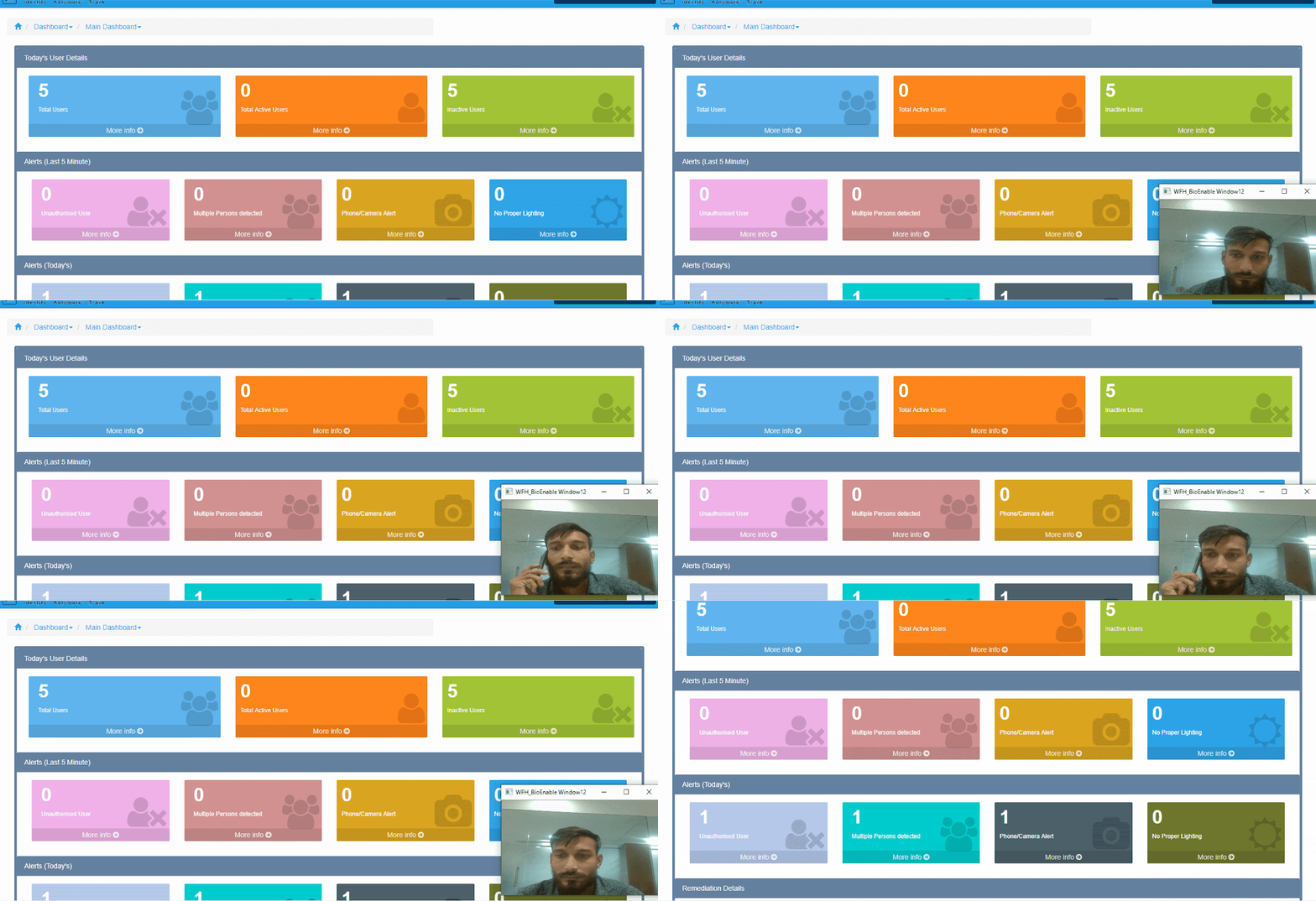
Alerts that the manager receives on their dashboard:
Mobile camera detection, Multiple people around the user, When the user leaves the session/When the screen is left idle & Imposter violation

Keystroke Monitoring
Our Keystroke And Activity Tracking Feature Helps to Keep track of keystroke and mouse-click activity of remote employees. Detect and send alerts about suspicious keyloggers, false keystrokes, and prohibited data copy attempts to the management
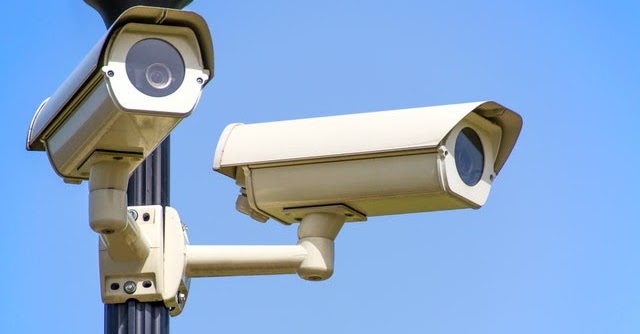
Webcam Monitoring
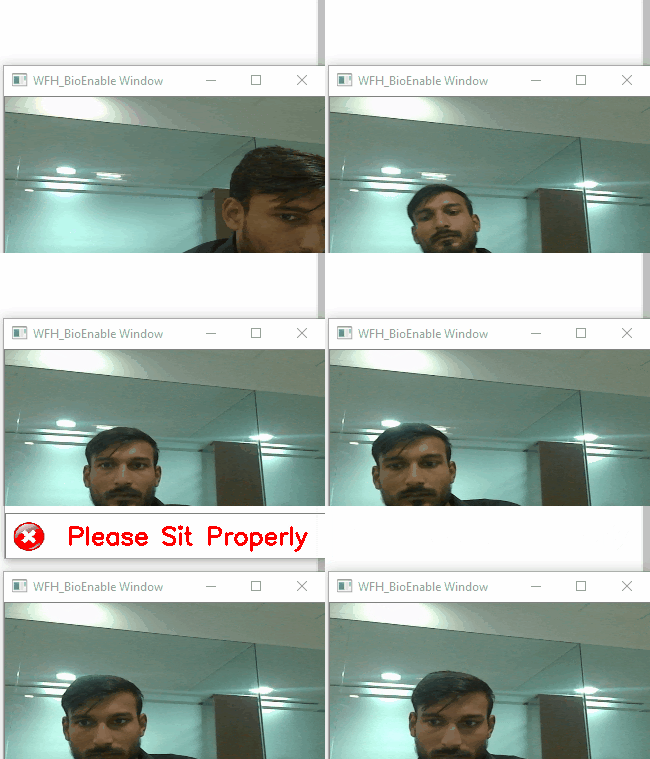
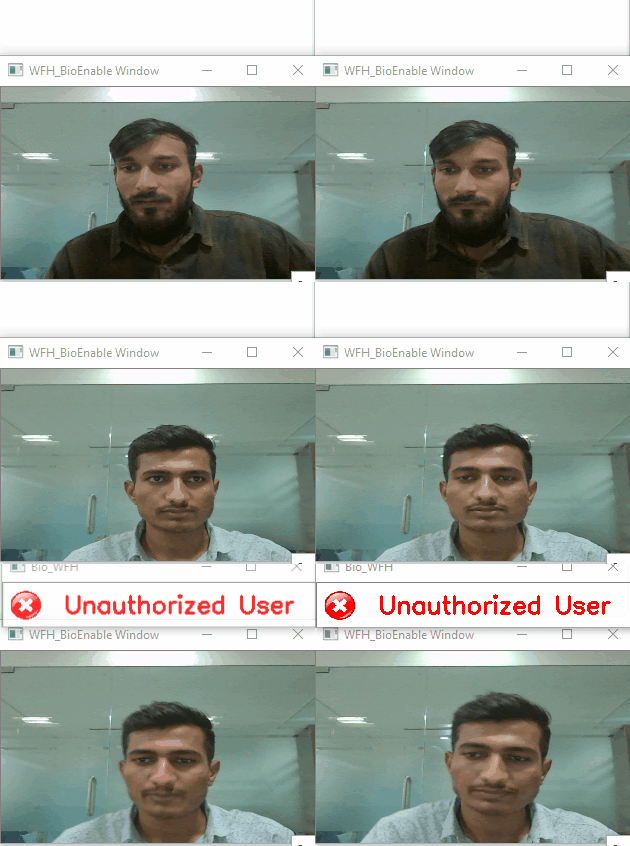
W ebcam monitoring feature helps to Detect imposter violations, Mobile camera detection, Record facial suspicion: Expressions, gestures etc with features of Multiple people around the agent, Suspicious background motion
How can Employee monitoring help you monitor and analyze employee activity?
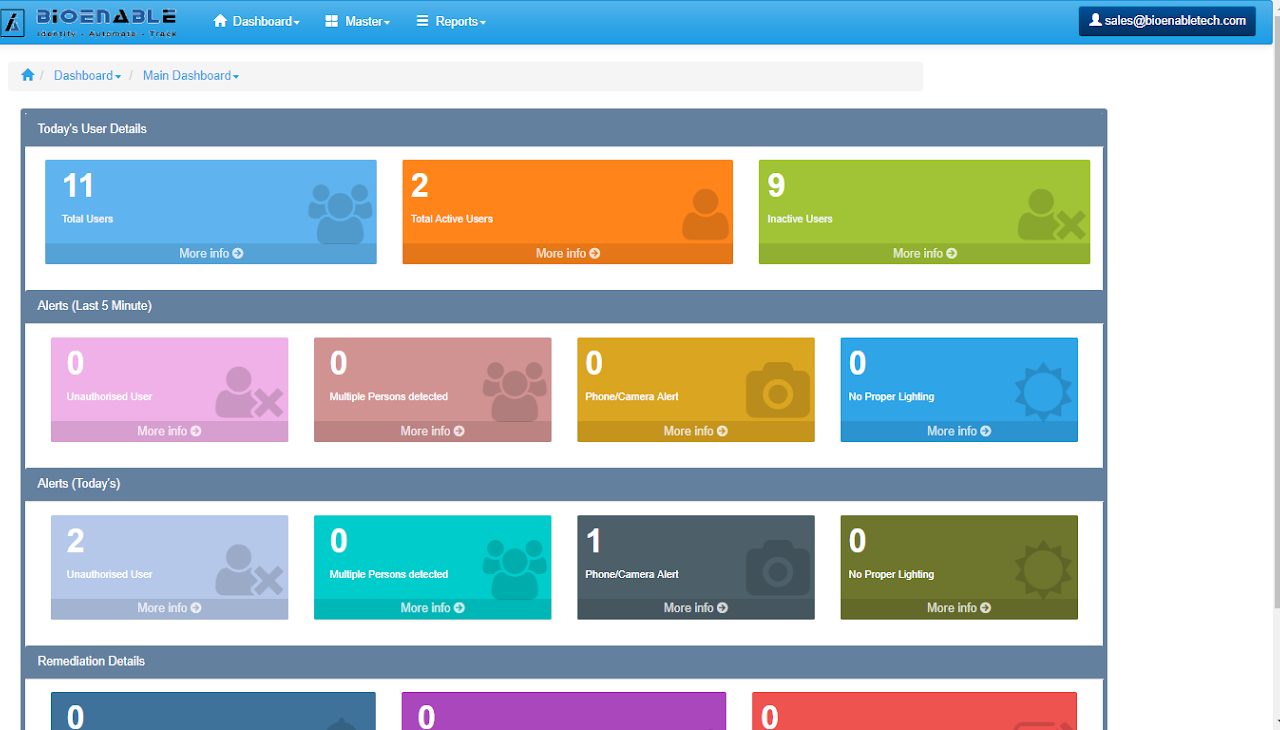
Active Dashboard
Employee Monitoring enables you with a real-time view of how your teams are engaged, independent of their location. Providing leaders with rich data, smart analytics and deep insights. Allowing them to make smart decisions to manage distributed teams effectively.
Customisation widgets available to determine work pattern analysis across teams, processes and locations Activities on and away from system analysis across multiple dimensions to identify time leakages and gaps. Identify current total number of users- Active users as well as Inactive users. Realtime alerts on activity performing by the users.

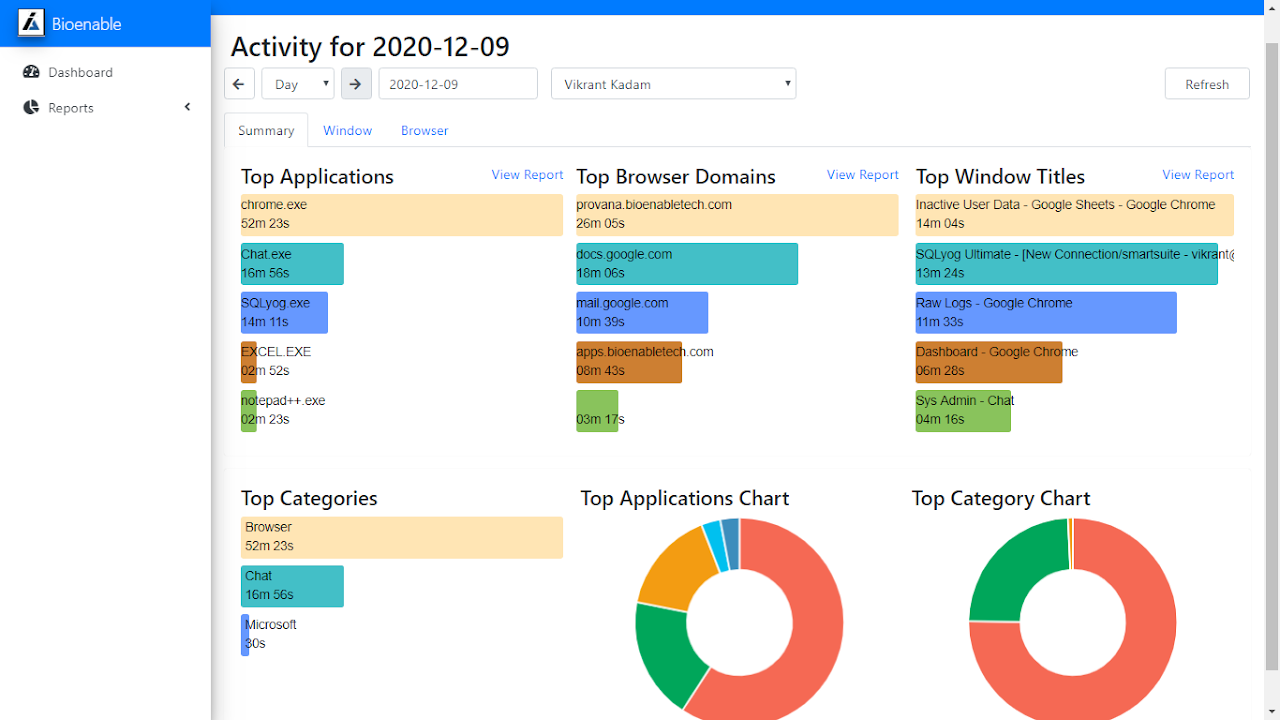
Activity Monitor
Activity Monitoring is an application that can automatically track the time you spend on your device.
It can be used to track your productivity, time spent on different projects, bad screen habits, or just to understand how to spend time.
Its come with features like Monitor your productivity , Track how much time you spend on different projects , Get an overview of time spent on apps, games, videos, and music etc..
Desktop Monitoring
Desktop Monitoring is an feature that can automatically track the time you spend on your device. It can be used to track your productivity, time spent on different projects, bad screen habits, or just to understand how to spend time.
Tracking
Tracks active application and window title out of the box, more with watchers
Categories
Get a better overview of your usage by breaking it down into categories
Browser Extensions
Track the active tab using the extensions for Chrome and Firefox
Editor Plugins
Track how you spend time writing code with editor watchers
Data is stored locally and doesn't leave your device, we put local and privacy first
Cross Platform
Runs on Windows & Linux
Mobile Phone Detection
User Level Alerts Notification
The Time and Attendance system, along with the other automated benefits, has this special built-in function at User Levels to generate accurate, automatic and customized notifications and alerts about each individual employee and the overall workforce as below.
STANDARD
✔ Active Time Tracking
✔ Idle Time Tracking
✔ Private Time Tracking
✔ Inactive Time Tracking
✔ Private Time Option
✔ Screen Lock Time Tracking
✔ Realtime Notification
✔ Desktop Monitoring
✔ Webcam Monitoring
✔ Screenshots
✔ Custom Reports
✔ Organisational Reports
✔ Team Wise Reports
✔ User Wise Reports
✔ Shift Scheduling
✔ Project Tracking
ADVANCE
✔ Absence Calendar
✔ Cost Calculation
✔ Third-party Integration
✔ Keystroke Monitoring
✔ URL & App Tracking
✔ App Title Tracking
✔ Web and App Usage Tracking
✔ Web Search Tracking
ADD-ON
✔ Configurable Work Definitions
✔ Global and Local Work Rules
✔ Multiple Dynamic Work Schedules
✔ Efficiency Projection
STANDARD - WORK FROM HOME
Demo Website Link : https://apps.bioenabletech.com/login.php
Please create a new company with Sign up option
Click here to download client application : BioEnable_Standard_WFH_Client_Installation Guide
ADVANCE - WORK FROM HOME
Demo Website Link : https://apps.bioenabletech.com/login.php
Please create a new company with Sign up option
Click here to download client application : * Camera Required BioEnable_Advanced_WFH Installation Guide
Runtime - Download
Explore similar AI-powered solutions that complement Employee Monitoring Software
Face detection, recognition for your business
AI power for your watchman & cameras
Remote examination & skill testing
Talk to us about Employee Monitoring Software
[email protected] · +1 (442) 264-1012